
Talk Up! Pictograms Communicat3.2.1 - Google Play
You'll be able to see results in few seconds.
Publisher Description
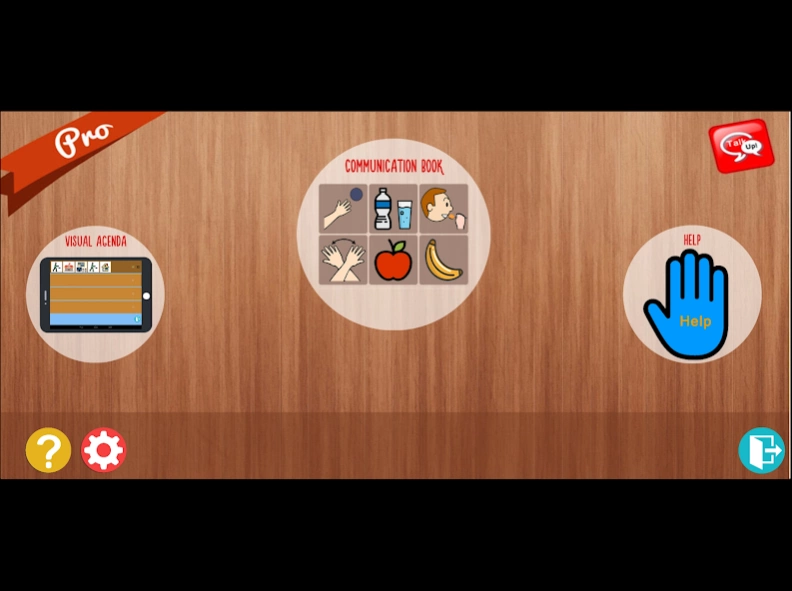
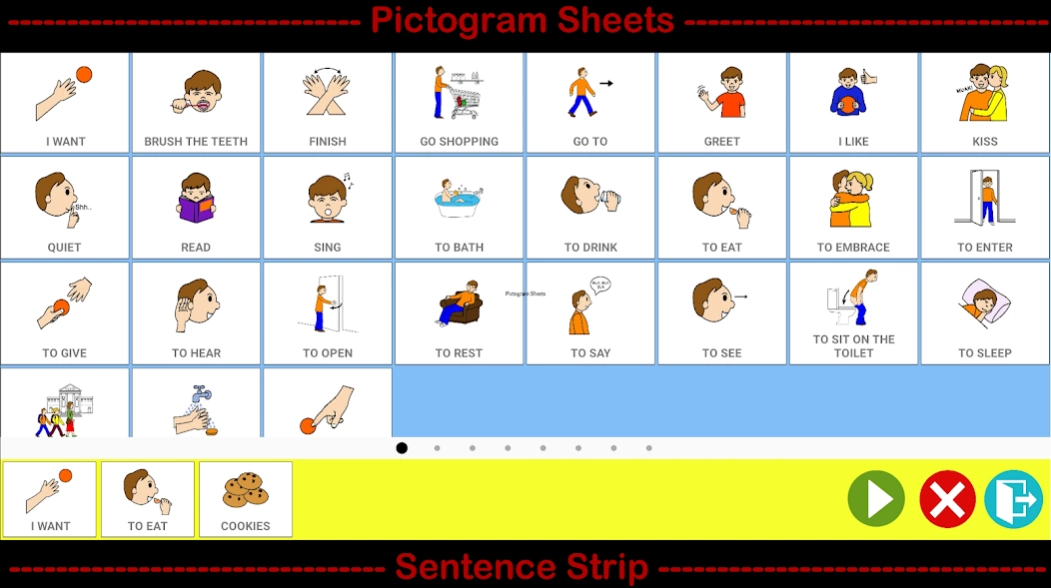
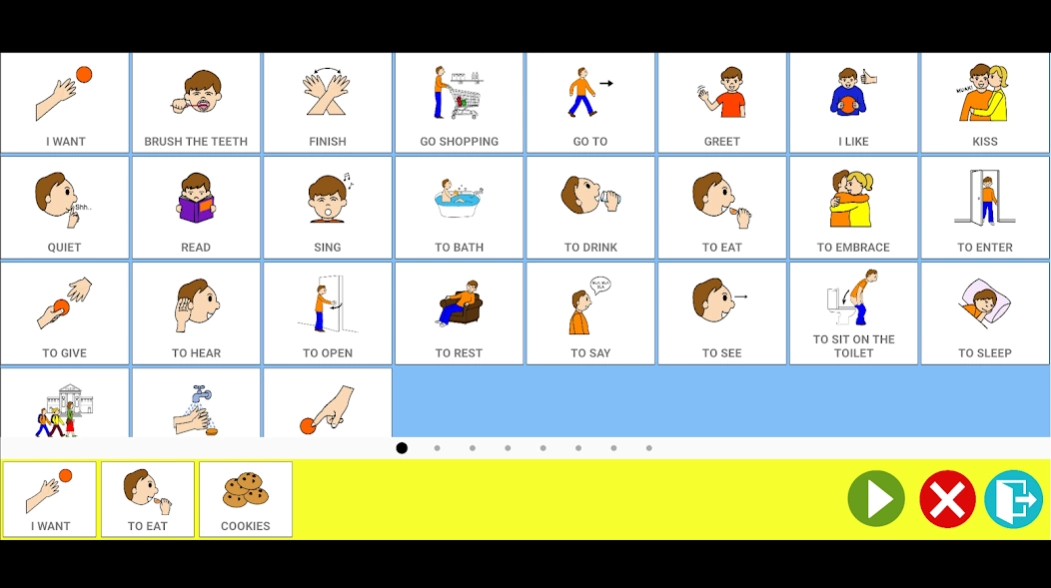
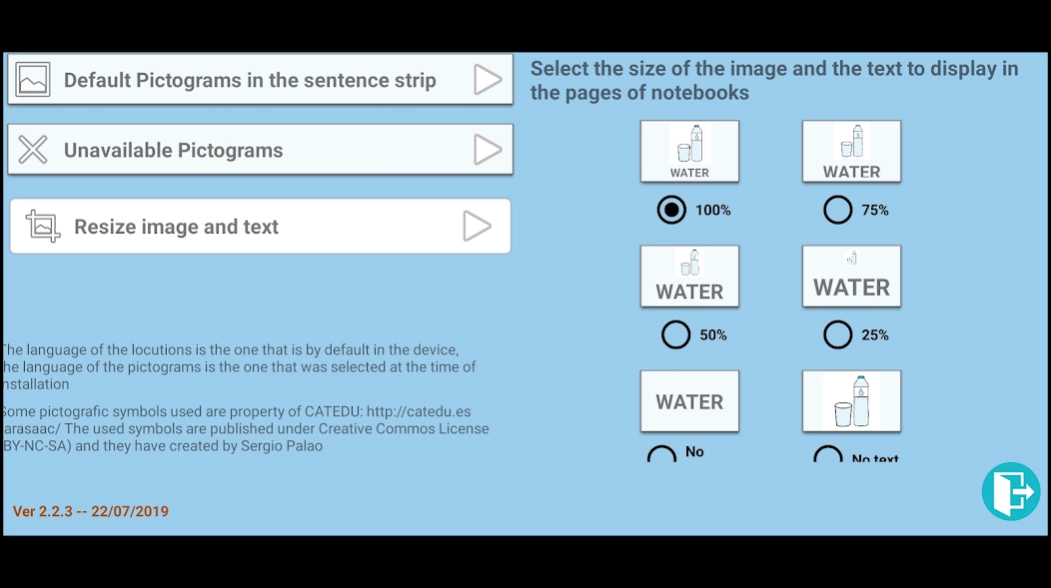
Communication system Autism spectrum, Aphasia, Apraxia, phonological disorder
Talk Up! Communicator is an application that allows you to convert Android devices (tablets or smartphones) into a powerful assisted communication device through the use of pictograms.
It has an optimized design to have a maximum flexibility of use as in the simplicity of operation, for which it has worked under the opinion, experience and knowledge of therapists, educators and parents.
It is aimed at non-verbal children in the spectrum of Autism and for anyone who can benefit from visual communication tools, such as:
• Autism spectrum disorders
• Aphasia
• Apraxia
• Speech disorder / phonological disorder
• Amyotrophic lateral sclerosis
• Motor neuron disease
• Cerebral palsy
• Down's Syndrome
The application allows you to express different actions and create complex sentences by selecting pictograms that belong to different categories. Once the sentence is completed, the system will proceed to read the phrase formed word by word or as a whole.
It is provided with a set of basic pictograms that allow 100% operational use of the application from the start.
Characteristics:
• Augmentative and Alternative Communication Systems, Augmentative and Alternative Communication
• Create new categories and add your own images
pre-configured for Children with Autism
• Voice of the images in English, Spanish
If you have difficulties with the application please contact us before leaving a negative rating or comment. Our intention is to make the best effort to help. (emerging.solutions@gmail.com)
If the application has been to your liking, please take the time to provide a rating.
For more details you can check our Website https://sites.google.com/view/talk-up/home
Note: The application uses some ARASAAC pictograms (http://arasaac.org/), created by Sergio Palao and distributed under a Creative Commons license (BY-NC-SA).
About Talk Up! Pictograms Communicat
The company that develops Talk Up! Pictograms Communicat is TEA TGD Communication Solutions. The latest version released by its developer is 3.2.1.
To install Talk Up! Pictograms Communicat on your Android device, just click the green Continue To App button above to start the installation process. The app is listed on our website since 2020-12-30 and was downloaded 0 times. We have already checked if the download link is safe, however for your own protection we recommend that you scan the downloaded app with your antivirus. Your antivirus may detect the Talk Up! Pictograms Communicat as malware as malware if the download link to com.are.cb.pro is broken.
How to install Talk Up! Pictograms Communicat on your Android device:
- Click on the Continue To App button on our website. This will redirect you to Google Play.
- Once the Talk Up! Pictograms Communicat is shown in the Google Play listing of your Android device, you can start its download and installation. Tap on the Install button located below the search bar and to the right of the app icon.
- A pop-up window with the permissions required by Talk Up! Pictograms Communicat will be shown. Click on Accept to continue the process.
- Talk Up! Pictograms Communicat will be downloaded onto your device, displaying a progress. Once the download completes, the installation will start and you'll get a notification after the installation is finished.
Program Details
System requirements
Download information
Pricing
Version History
version 3.2.1
posted on 2020-12-30
This and the following versions will available to Android 9 version onwards ( 9 included ).
Disclaimer
Official Google Play Link
We do not host Talk Up! Pictograms Communicat on our servers. We did not scan it for viruses, adware, spyware or other type of malware. This app is hosted by Google and passed their terms and conditions to be listed there. We recommend caution when installing it.
The Google Play link for Talk Up! Pictograms Communicat is provided to you by apps112.com without any warranties, representations or guarantees of any kind, so access it at your own risk.
If you have questions regarding this particular app contact the publisher directly. For questions about the functionalities of apps112.com contact us.
